Product information updated October 27, 2026 · Based on the creator’s product brief. About 360 PRO SWING
360 PRO SWING AI CLUB · BUILT PROTOTYPES
AI golf club sensor. A coach that lives on your club.
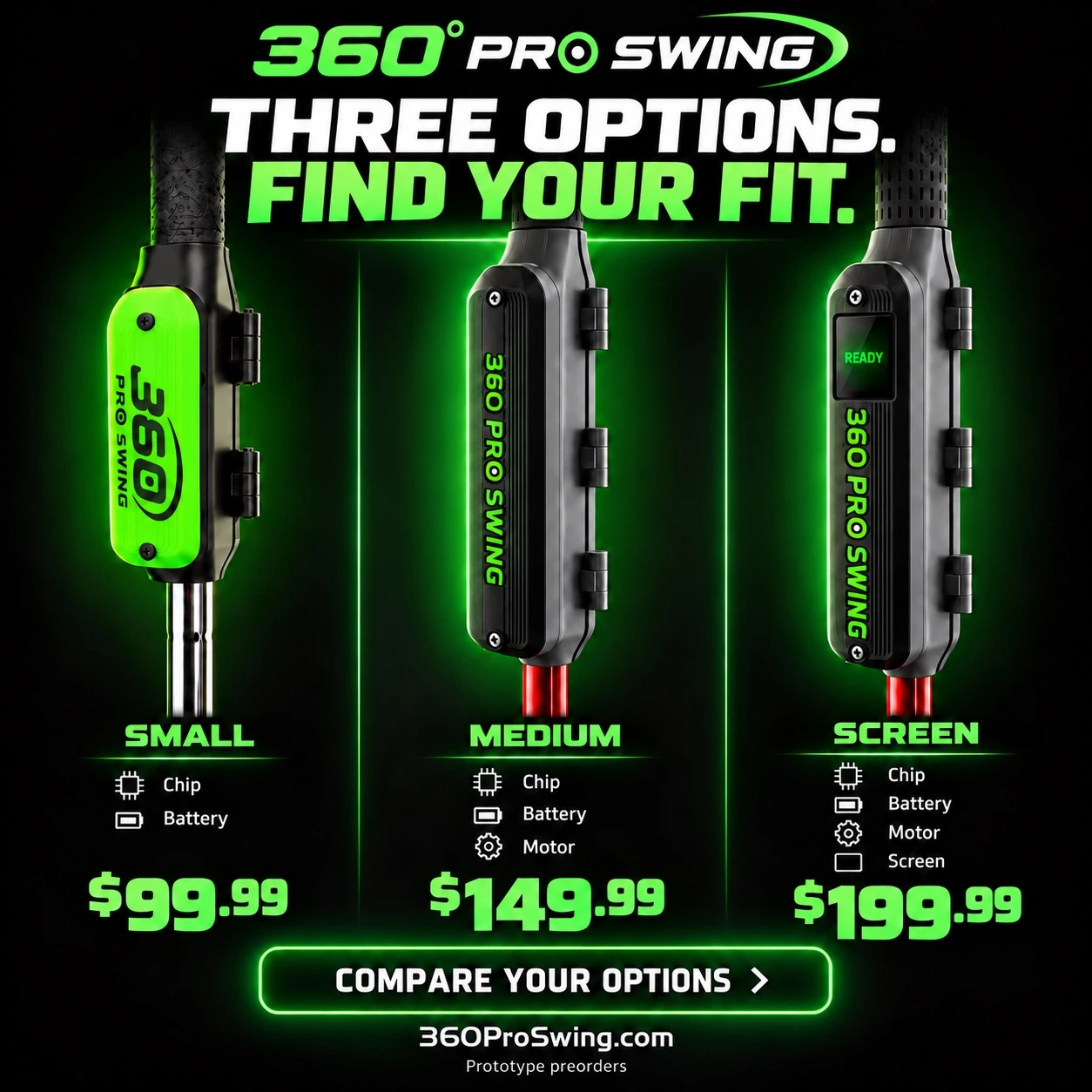
Clip the pod below the grip of your own club. Train on the range or course with built-in AI that learns, scores and records even when your phone is gone. Choose app guidance, vibration feedback or vibration plus a screen.
Mounts to your real golf club for range and course use. Choose your feedback hardware; all three have built-in AI that can analyze and record swings without the phone connected, then sync saved records back to the required 360 PRO SWING app. Choose how you receive feedback:
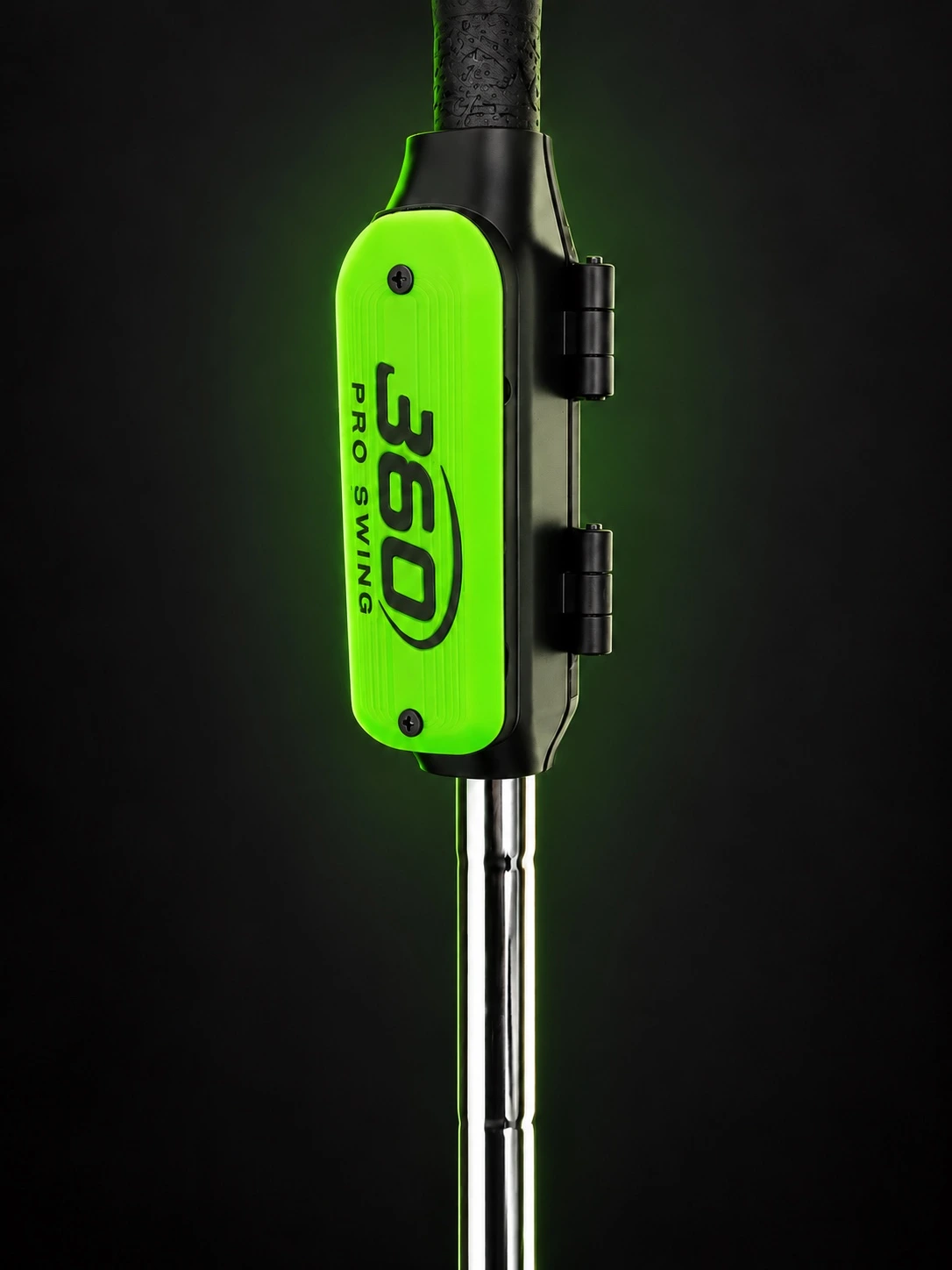
Small
Built-in AI + 360 Pro Swing AI processor + battery
Train with AI guidance: no built-in vibration motor or screen. No grip pressure sensor is fitted. Follow visual and voice coaching in the connected app and build your own feel for each position. Offline, the built-in AI continues analyzing and saving swings for later review.
Plain clamp-on or WITH MAGNETS version. The separately sold slug kit requires the WITH MAGNETS version; kit pricing has not been announced.
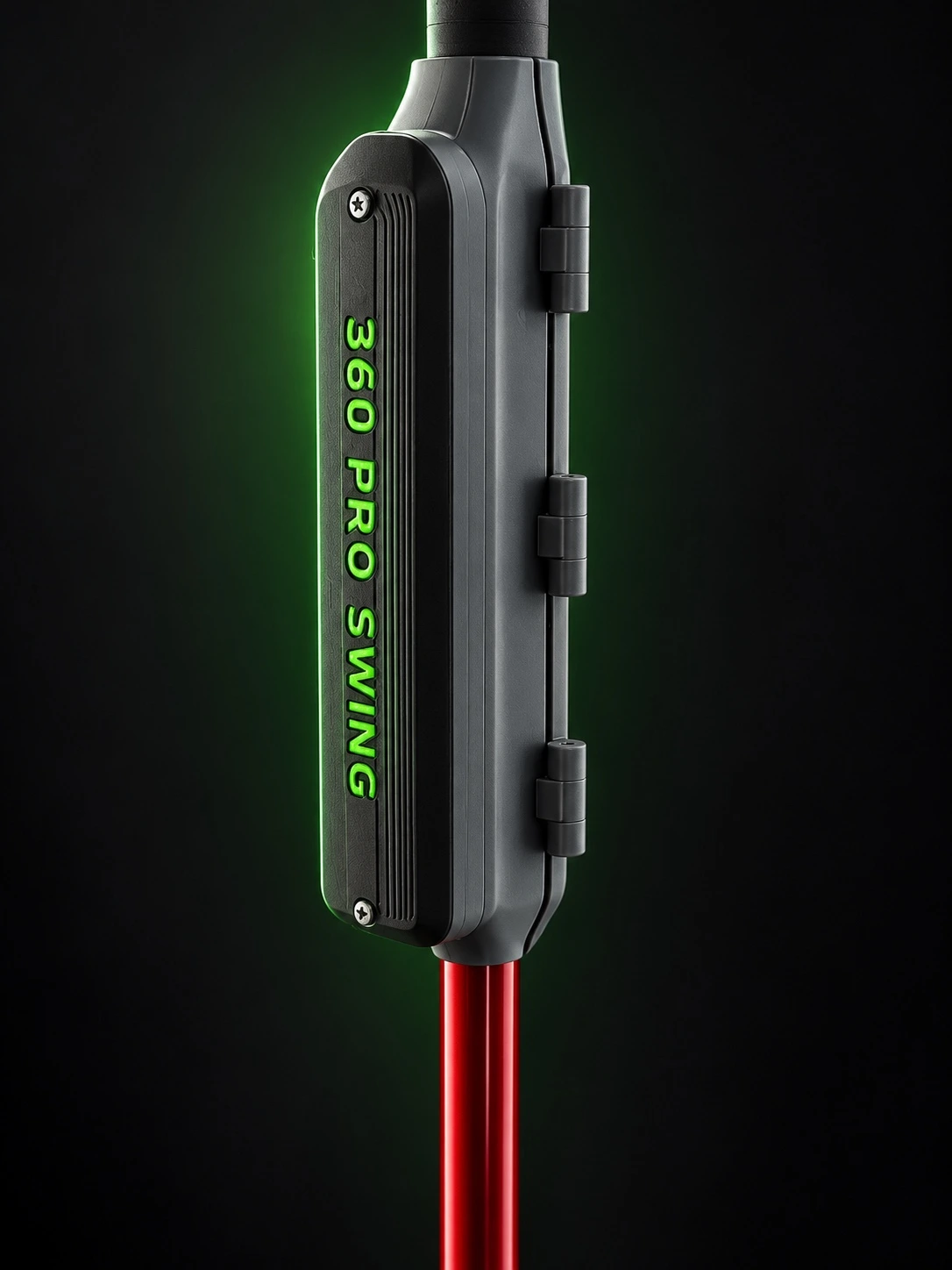
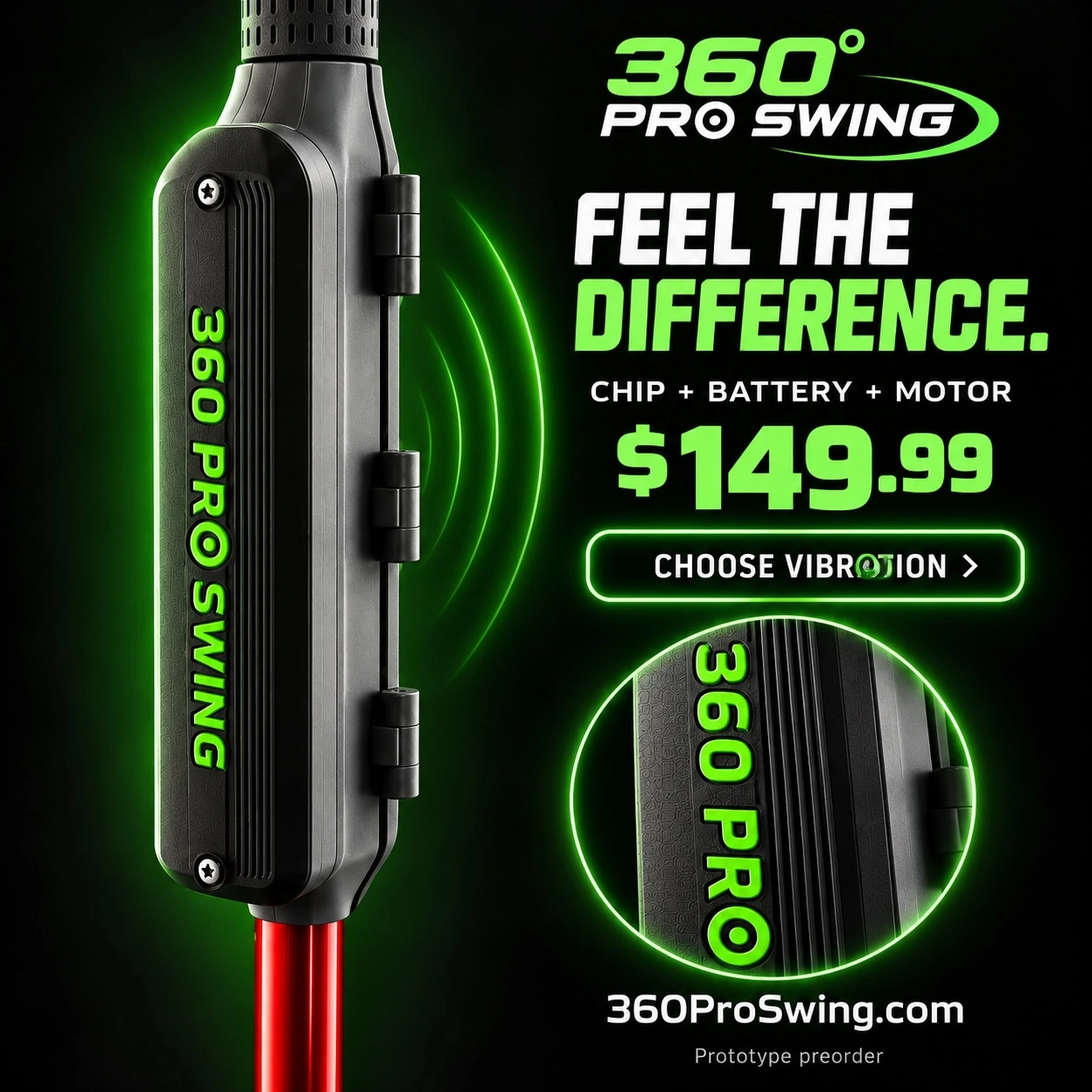
Built-in AI + 360 Pro Swing AI processor + battery + vibration motor
Feel your position: a grip pressure sensor and on/off switch are included. A vibration motor provides a physical cue when you reach the target range for your personal P1–P10 checkpoint. Built-in AI continues analyzing and saving swings even without the phone connected.
Plain clamp-on or WITH MAGNETS version. The separately sold slug kit requires the WITH MAGNETS version; kit pricing has not been announced.
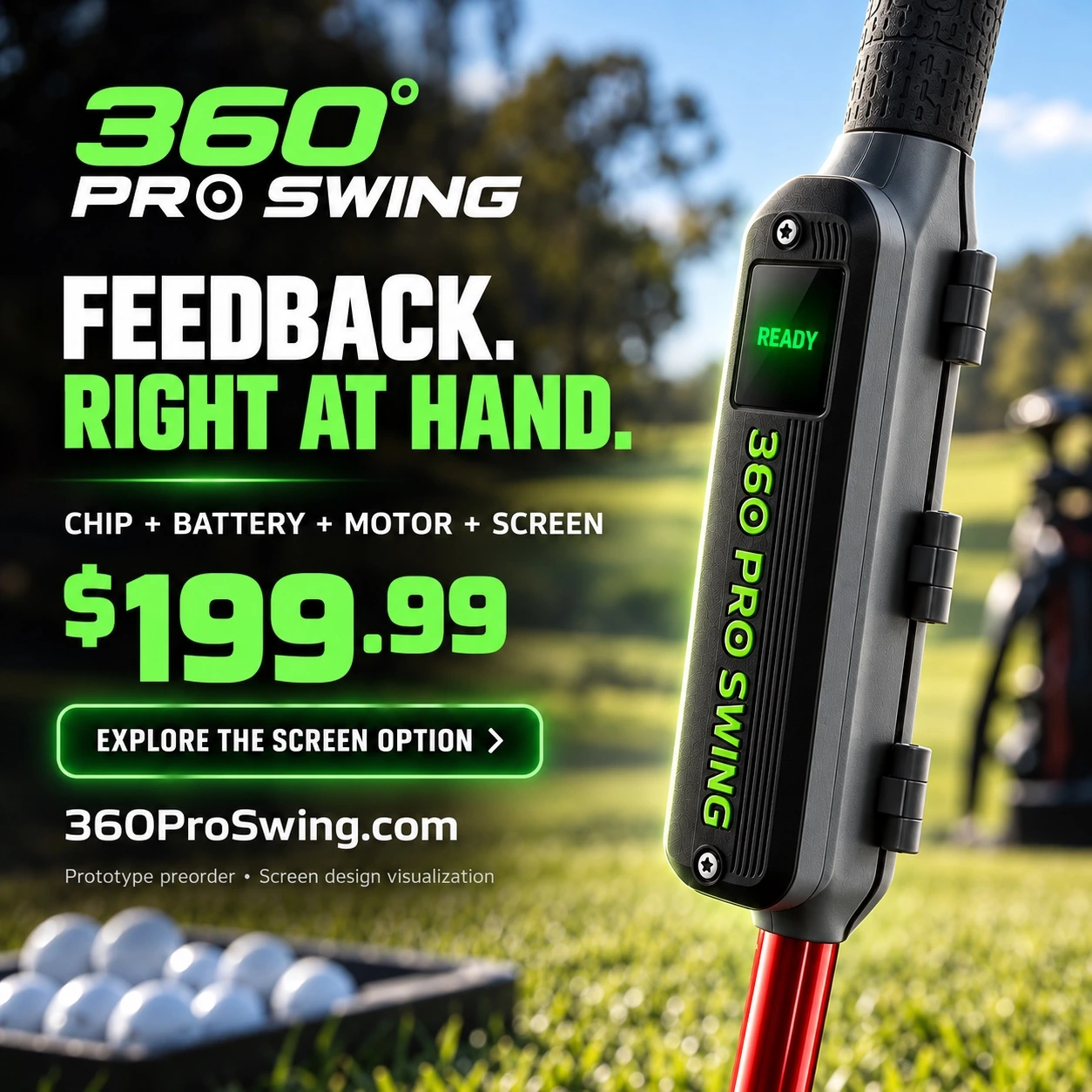
Built-in AI + 360 Pro Swing AI processor + battery + vibration motor + screen
Feel it and see it: a grip pressure sensor and on/off switch are included. Vibration confirms your position while the screen displays angles, swing scores, detected faults and written guidance to improve your swing. The on-device AI does not speak; voice coaching uses the connected app.
Plain clamp-on or WITH MAGNETS version. The separately sold slug kit requires the WITH MAGNETS version; kit pricing has not been announced.
Early-access prototype preorders. Request your selected option to receive its matching payment link. No payment is collected by the request button. Shipping, taxes and applicable duties are additional. Delivery dates are not yet confirmed. Prototype terms · Refund policy · 90-day limited warranty.
THREE AI CLUB SENSOR PODS
Clips below the grip. Learns on your own club.
Each pod clips onto the shaft from the side; the golfer does not assemble or glue it. All three run the full built-in AI. Each comes in a plain clamp-on version and a WITH MAGNETS version for the separately sold slide-weight kit.
Feature
Small · $99.99
Medium · $149.99
Screen · $199.99
Inside
AI processor + battery
AI processor + battery + vibration motor + on/off switch
AI processor + battery + vibration motor + screen + on/off switch
Grip pressure
No
Yes
Yes
On-club feedback
App feedback when connected; records offline
Buzz coaching
Buzz coaching + on-screen tips, angles and scores
Without phone
Learns, scores and saves the last 32 swings
Same, plus vibration feedback
Same, plus written display feedback
Length
3.90 in
5.79 in with magnets; 5.59 in without
Same as Medium
Width
About 1.14 in
About 1.14 in
About 1.23 in at the screen
The Screen model’s display sits over the motor end and tilts 15° toward the golfer for reading at address. The service lid opens and uses two small screws. The screen is the newest prototype; its final display size is still being confirmed.
Status: built prototypes. The magnetic release kit is in testing and sold separately. Base prices do not include the kit; magnet-equipped configuration pricing has not been separately announced.
BUILT-IN AI IN EVERY MODEL
Your AI stays with your swing.
Club Edition Small, Medium and Screen, and the Home Edition V2 teardrop trainer each have built-in AI on the 360 Pro Swing AI processor. The built-in AI is the fast reflex: it analyzes movement, scores swings, gives one coaching cue and predicts ball flight. The app AI is the bigger brain: it talks, watches through the camera, knows the course and plans your training. A screen or motor changes how you receive feedback; it does not determine whether the device has AI. Hardware works without a subscription; optional subscriptions are planned for the 90-Day Program and full voice features. Subscription prices are not final and are not published.
Keep training without your phone
If you leave your phone at home or its battery dies, with no phone or internet, the built-in AI keeps analyzing, learning each club and saving the last 32 swings locally, even through a power cut. Small records for later review; Medium adds vibration cues; Screen and Home Edition V2 provide written feedback on their displays.
Reconnect and bring it together
The app is still required for setup and the full connected system. Reconnect to transfer saved swing records into your history. When connected, the chip AI and app AI work as one coordinated coaching system around your profile, so practice on either trainer informs the other.
Read your coach on the screen
On Club Edition Screen and Home Edition V2, see your angles, swing scores, what went wrong and written guidance on how to fix it. The on-device AI does not speak. The connected app adds spoken coaching, camera guidance and the broader training display.
Built-in swing analysis, personal learning and offline recording are built in the prototype. Real-swing model tuning and ball-flight prediction are in testing against a launch monitor; no accuracy numbers are claimed. The last 32 swings are saved through a power cut and transfer to the app when it reconnects. Phone-based camera, GPS and app voice functions require the connected device; offline swing records sync when you reconnect.
TWO AIs. ONE BRAIN. EVERY SWING.
A fast reflex. A bigger brain.
The built-in AI reacts on the device. The app AI talks, watches, knows the course and plans training. They share the golfer’s goals and personal model, with home and course records in one history.
Before the swing — app to device: the app sends the club, shot type, drill and tempo goal.
During the swing — device to app: address, takeaway, top and impact arrive live. An early tempo reading at the top helps the app understand the swing before it is over.
After the swing — device to app: a score, one coaching cue and a ball-flight prediction. The app adds video, voice coaching and the long-term record.
Stay in step: every few seconds the two check the same clock, golfer goal and AI model.
Keep improving — app to device: the app builds personal models and corrections from recorded swings, sends updates back, and the device saves them for offline use.
Phone gone? Built-in AI continues detecting, classifying, measuring, scoring, coaching with the feedback hardware fitted, predicting and learning. The last 32 swings survive a power cut and transfer when the app reconnects. Live voice, cameras, GPS, programs and the full history are app features.
Status: built. Real-swing tuning and ball-flight predictions are in testing against a launch monitor. No exact speed, carry or prediction accuracy is claimed.
BUILT-IN AI · BUILT FEATURES
It learns your swing, club by club.
Feature
What it does
Status
Swing steps
Pick-up, address, takeaway, top, transition, impact and follow-through.
Built
Shot recognition
Putt, chip, pitch or full swing, with a separate personal baseline for each.
Built
Swing numbers
Backswing-to-downswing tempo ratio, backswing size, transition speed, release point, estimated club speed and face turn through impact.
Built; speed in testing
Strike sound
The microphone listens from the top through just after impact and grades pure versus dull contact on a 0–100 scale.
In testing
Grip pressure
Lead- and trail-hand squeeze at address, top and impact, only on units fitted with grip sensors. Small has no grip sensor.
Built on equipped units
Fault detection
Death grip, loose at the top, regrip, casting, rushed transition, trail-hand takeover, slowing at impact, over- or under-swing and swings outside your normal.
Built
Swing grades
Setup P1, top P4, impact P7 and tempo each receive a 0–100 score, compared with your baseline and tour references.
Built
The 6-axis motion sensor and microphone feed the built-in AI. Six club groups learn separately: driver, wood/hybrid, long iron, iron, wedge and putter. Published club references provide the starting lie angle, shaft lean, backswing size, tempo and P1–P10 targets. After about 10 clean swings, targets can blend up to 70% of your own good swings with at least 30% reference retained.
Only clean swings update the targets. A repeated fault is not adopted simply because it is common in your swing. This is a learning rule, not a guarantee that coaching prevents every bad habit. One setting selects right- or left-handed use. Personal profiles and corrections are saved on the device through a power cut and read or updated by the app.
A shot prediction on the device
A small trained neural network uses 29 swing inputs, including strike sound and face and shaft delivery relative to address. It predicts start line, curve, contact quality, carry, offline distance and ball speed. The app improves the model from your recorded swings and sends it back to the device. Predictions are estimates in launch-monitor testing; the sensor does not directly track ball flight.
One clear fix per swing
Feedback uses the hardware present: screen words, buzz patterns and beep cues on equipped units. Small learns, scores and records for app review; Medium adds motor cues; Screen adds written tips and numbers. A tempo trainer marks start, top and impact by beep or buzz on equipped units, with a tap at the top. Devices sleep when put down, wake when picked up and retain saved data through a power cut.
SLIDE-WEIGHT SLUG RELEASE KIT · IN TESTING
Make the click land at the ball.
Turn your own golf club into a timing trainer. The slide-weight slug release kit is sold separately and works with the WITH MAGNETS version of any of the three AI Club pods. Choose a plain clamp-on pod or a WITH MAGNETS pod; four small magnets in the lower end of the magnet-equipped pod run this kit. The kit is not included in the base pod prices.
Hold: four magnets hold the weighted slug at the top of the shaft, just below the grip.
Release: swing force overcomes the magnets’ hold and the slug lets go. This real-club kit does not use the teardrop’s electromagnet-controlled demonstration.
Slide and click: the slug slides on low-friction strips and lands on a rubber bumper on the stopper collar by the club head. Hear and feel the click.
Learn the timing: the goal is a click at the ball. An early click can indicate casting. The built-in AI reports the slug’s release time before impact in milliseconds; this kit and its timing are in testing.
The kit includes a two-piece lined slug with steel half-washers, adjustable internal weight, a stopper collar and a soft rubber bumper. The collar seats at the ferrule to pass the impact into the club head. The slug is about 1.28 in across and 1.08 in long, with a 0.78 in bore. The collar is about 1.40 in across and 0.60 in tall; shaft fit is about 0.33–0.40 in. Final fit and specifications remain subject to testing.
First printed prototypes and simulated weighting are being tested; a factory-built version is planned. No final swing-speed weight table, price or delivery date has been announced. Adding the kit does not add a motor or screen to Small.
Explore the Screen pod in 3D.
The supplied model illustrates the screen-equipped configuration; Small and Medium have different feedback hardware. Open the chipset page →
Interactive design visualization; final hardware can differ. Open full viewer →
THE APP AI · TWO VOICES, TWO JOBS
Hey Coach trains. Hey Caddy plays the course.
Hey Coach · male coach voice
Swing coaching and training only. Explains the drill before you start, describes what went wrong, gives a correction and tracks improvement. It finishes its sentence; saying “Hey Coach” again interrupts it.
Hey Caddy · female caddy voice
Club choice, yardage, wind, what to hit next and hole-by-hole support. Keeps the scorecard by voice, counts likely strokes from swings and asks you to confirm — “Was that stroke 3?” Finds nearby courses, nine-hole courses or courses with fewer sand traps. Saying “Hey Caddy” interrupts the coach and hands over immediately.
Both can open screens, start drills, begin recording and switch cameras by voice. They read live device swing data, so the answer relates to the swing you just made. The device AI gives written or physical cues; the talking coach and caddy run through the app.
App feature
What you get
P1–P10 guided training
See each position in the app while motor-equipped hardware guides you by vibration. Slow position practice locks and progresses through checkpoints; putting uses P1–P4.
Camera
A phone on the floor as Ball Cam, or front/back-camera body tracking with a skeleton overlay. Two devices can split ball and body views.
Course maps and GPS
Course information and GPS yardage, in testing and rolling out course by course.
Club Gapping
Distance by club built from your own recorded shots.
Player profiles
Your data stays with you. Home training and course play share the same golfer profile.
90-Day Program
Guided putting, wedge, iron and driver lessons: half the days on the home trainer, half on the course with the club sensor.
360 Carnival
Home putting games including Skee-Ball, Plinko, Dunk Tank, Ferris Wheel and Balloon Challenge.
Subscription plan: hardware works without a subscription. An optional subscription is planned for the 90-Day Program and full voice features, with a free first week and yearly option. Prices and final plan availability are not announced.
Coming: Android, mixed-reality headset mode for home training, and owner voice match. Voice match is not available today.
FROM HOME TO THE GREEN
Two trainers. One brain.
Keep your training. Keep your swings. Keep your score. Home Edition V2 and Club Edition each have built-in AI. Connect them through the required 360 PRO SWING app and their on-device AI works with the app AI as one coordinated coaching system, built around one golfer profile and one history.
Learn at home
Practice personal P1–P10 positions, tempo and release with the teardrop Home Edition V2. Your saved sessions build your profile and inform the guidance you take to your real golf club.
Take your learning to the green
The Club Edition learns from your recorded real-club and putting swings. Sync them into the same history alongside confirmed course scores and round results. Without your phone connected, built-in AI continues analyzing and saving local swing records for later syncing.
Bring the course back home
Reconnect to transfer the recorded swings into the app. Your next Home Edition V2 session draws on that updated profile, so what you learned on the course helps shape what you practice at home. Review saved scores and progress through the shared app; the home trainer does not independently measure course scores.
Buy Home Edition V2 alone, choose any Club Edition on its own, or request them together as the From Home to the Green setup. Each has its own job, with your learning traveling both ways. No separate bundle price or discount has been announced.
Home and course use the same app and golfer profile. Each product works independently and they learn the golfer faster together. Course maps and GPS are in testing and rolling out course by course. Ball-flight predictions are estimates. Course scores and ball locations require confirmation.
Yes. Club Edition Small, Medium and Screen, plus the Home Edition V2 teardrop trainer, each have built-in AI on the 360 Pro Swing AI processor. They can analyze and save swings without a live phone connection. The app is still required for setup, syncing, shared history and the full connected coaching experience.
What happens if I leave my phone at home or its battery dies?
The device’s built-in AI is designed to keep analyzing your movements, learning your swing and saving local swing records. When it reconnects, saved records transfer to the app and update your shared profile. The last 32 swings are retained through a power cut and handed to the app when it reconnects; phone camera, GPS and app voice features require the connected device.
Does the built-in AI speak?
No. On Club Edition Screen and Home Edition V2, the built-in AI displays angles, swing scores, detected faults and written correction guidance on the device screen. Spoken coaching comes through the app. Small has no screen or vibration motor; Medium adds vibration but has no screen.
What does From Home to the Green mean?
Two trainers. One brain. The Home Edition V2 and Club Edition share one golfer profile through the app. Home practice informs your real-club training; course swings and confirmed scores return to that same history to shape your next home session. Their built-in AI works with the app AI as one coordinated coaching system when connected. Home and course records share one profile; course GPS is in testing and rolling out course by course.
Can I add the slug system to any Club Edition?
Yes. The slide-weight slug release kit is a separately sold upgrade compatible with the WITH MAGNETS version of Small, Medium or Screen. Four magnets hold the slug below the grip until swing force overcomes their hold. It slides down the shaft and clicks against the bumper on the stopper collar by the club head. The kit is in testing, and its price and delivery have not been announced.